 BetaBeta
Protect your business device with intelligent remote lock software built for today's distributed workforce instant remote-control lock, proactive alerts, and complete security across office, hybrid, and remote teams.
Remote locking allows authorised administrators to instantly secure a device from any location whenever it is lost, stolen, or suspected of being compromised. Nixo Pulse uses intelligent remote control lock capabilities to prevent unauthorised access while protecting confidential business information. As part of a complete computer security solutions strategy, remote locking helps organisations maintain control over business devices wherever work happens.
Today's workforce operates beyond the traditional office. Employees now work across hybrid setups, client sites, shared workspaces, and multiple remote locations, creating new security challenges for every organisation. Every connected device becomes a potential point of entry if left unprotected. Nixo Pulse helps reduce these risks with practical computer solutions and security, enabling businesses to secure devices, protect sensitive information, and respond to incidents with confidence.
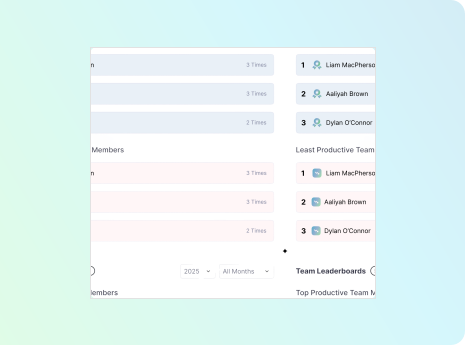
Prevent malicious software from spreading across your organisation before it impacts business operations.
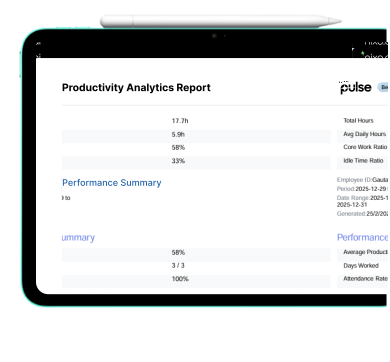
With immediate notifications sent from the time of suspicious behaviour, unauthorised access attempts, or impending security risks are detected, these alerts allow your IT department to implement measures without delay for risk containment and compliance management throughout the organisation.
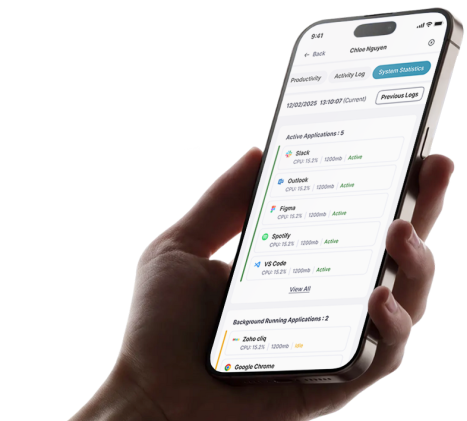
Resets compromised user credentials remotely to restore secure access, blocking unauthorised users without ever requiring physical access to the device.
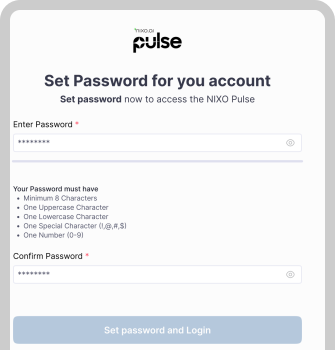
Restarts managed devices remotely to clear potential threats, restore system stability, and apply critical updates without disrupting ongoing operations.

Instantly signs users out of managed devices the moment suspicious activity is detected, protecting active sessions and preventing unauthorised access through trusted remote lock software.

Nixo Pulse integrates seamlessly with Windows devices, allowing organisations to remotely secure systems, reset credentials, and protect business data in real time. Administrators can respond immediately to lost, stolen, or compromised devices while maintaining complete visibility across their fleet.

Support for Linux devices delivers the same trusted security capabilities across mixed operating system environments. Nixo Pulse enables organisations to remotely secure Linux endpoints using credential-based protection, helping safeguard business assets and maintain operational continuity.
Remote locking is a security feature that allows authorised administrators to secure a device instantly from any location without requiring physical access. It helps prevent unauthorised access when a device is lost, stolen, or compromised, making it an essential part of modern computer security solutions for organisations managing devices across hybrid and remote teams.